
Bills and Expenses Spreadsheet: The Ultimate Money Management Tool
The Best Bills and Expenses Spreadsheet Templates for 2026
A bills and expenses spreadsheet is one of the most effective tools you can use to take control of your money. Before diving deeper, here are the top free templates worth knowing about:
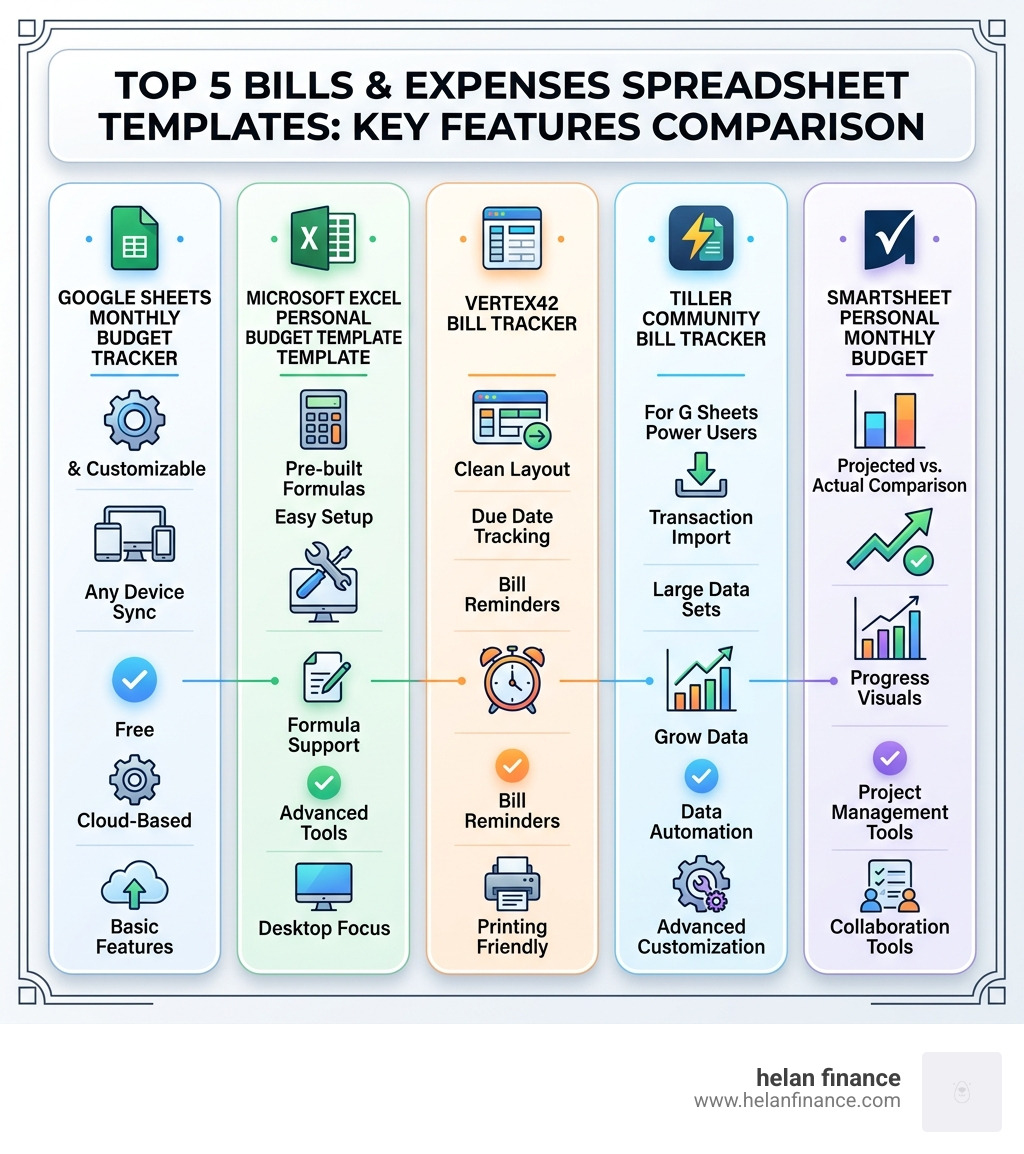
Best bills and expenses spreadsheet templates:
- Google Sheets Monthly Budget Tracker – Free, customizable, works on any device
- Microsoft Excel Personal Budget Template – Pre-built formulas, easy to set up
- Vertex42 Bill Tracker – Clean layout, great for due-date tracking
- Tiller Community Bill Tracker – Ideal for Google Sheets power users
- Smartsheet Personal Monthly Budget – Strong projected vs. actual comparison
Most people have a rough idea of what they earn. Far fewer know exactly where it all goes.
That gap between earning and tracking is where financial stress lives. A missed bill here, an overspent category there — and suddenly the month is over and there’s nothing left to show for it.
A well-built bills and expenses spreadsheet fixes that. It gives you one place to see everything: what’s due, what’s paid, what’s left, and where you can cut back. No complicated software. No monthly subscription fees. Just clarity.
Whether you’re managing a household budget, splitting costs with a partner, or simply trying to stop wondering where your paycheck went — the right spreadsheet template can make a real difference.
This guide covers the best free templates available in 2026, how to choose the right one for your situation, and how to actually use it to build better financial habits.
Why You Need a Spreadsheet for Financial Control in 2026
In an era of “invisible money” — where tap-to-pay and auto-renewing subscriptions are the norm — it is incredibly easy to lose touch with your actual spending habits. We believe that tracking daily transactions is the single most effective way to regain that lost financial awareness.
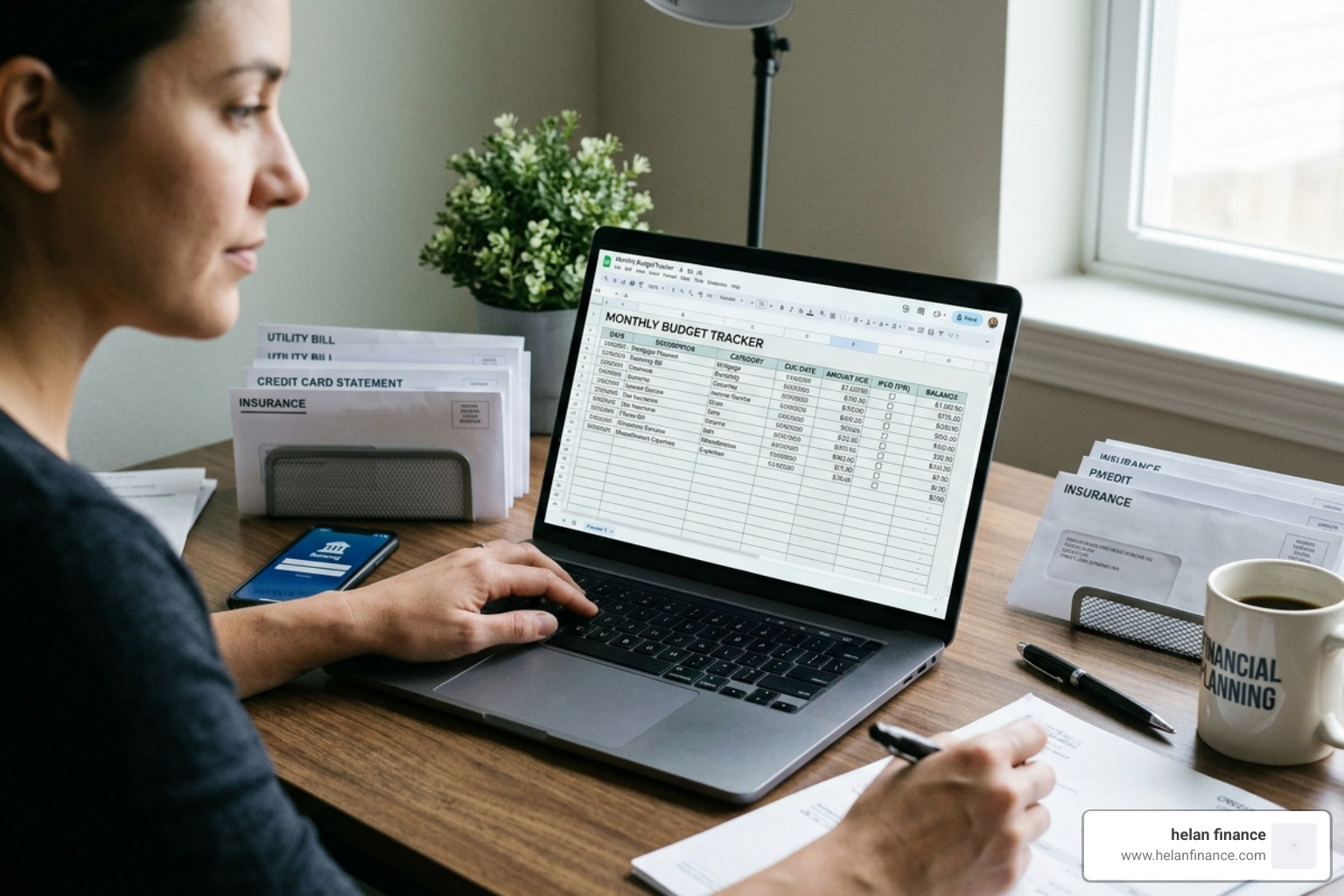
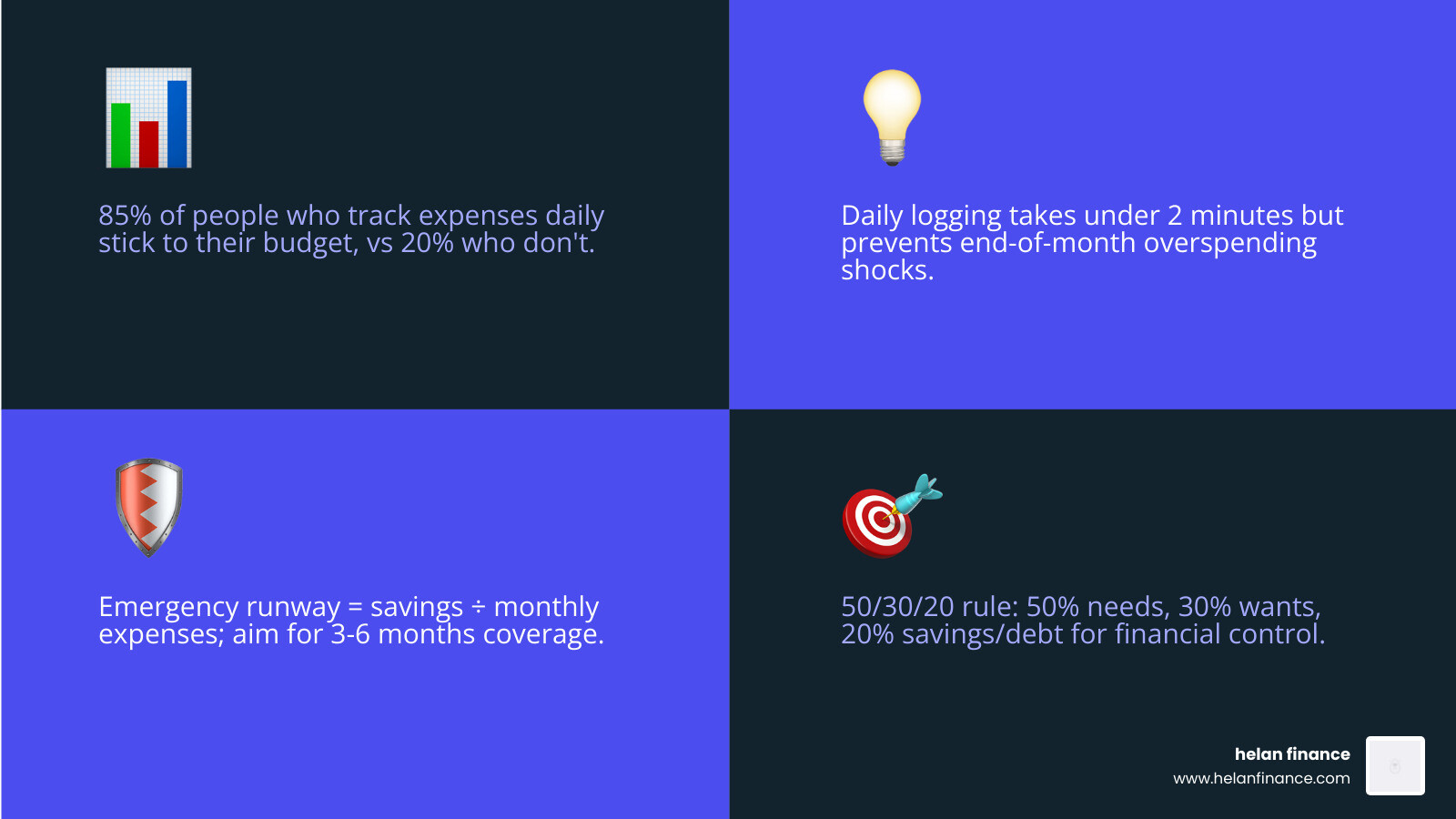
When you use a bills and expenses spreadsheet, you aren’t just looking at numbers; you are looking at your life’s priorities. Daily logging might sound tedious, but it usually takes less than two minutes a day. This habit prevents the “end-of-month shock” where you realize you’ve overspent on dining out or impulse buys.
A powerful concept we advocate for is the Emergency Fund Runway. By dividing your total savings by your average monthly expenses (found in your spreadsheet), you can calculate exactly how many months of freedom you have. For example, if you have $15,000 saved and your spreadsheet shows you spend $3,000 a month, you have a five-month runway. Knowing this number provides a level of peace that no banking app can replicate.
Using a structured Make a Budget worksheet helps you move from reactive spending to proactive wealth building. It’s about visibility, not just restriction.
Key Features of an Effective Bills and Expenses Spreadsheet
Not all spreadsheets are created equal. To move beyond a simple list, your bills and expenses spreadsheet should distinguish between different types of outflows and provide visual feedback.
- Fixed Expenses: These are your non-negotiables that stay the same every month, like rent or insurance.
- Variable Costs: These fluctuate, such as electricity or groceries.
- Discretionary Spending: These are the “wants,” like entertainment or hobbies.
- Projected vs. Actual: A great template allows you to guess what you’ll spend and then records what you actually spent. The difference (variance) is where the learning happens.
- Debt Snowball Tracking: If you have balances, tracking your “Amount Due” vs. “Amount Paid” helps you visualize your progress toward zero debt.
Fixed vs. Variable Expense Examples
| Category | Fixed Expense Example | Variable Expense Example |
|---|---|---|
| Housing | Rent/Mortgage | Water/Electricity |
| Transportation | Car Loan Payment | Gas/Maintenance |
| Health | Health Insurance Premium | Doctor Co-pays/Medicine |
| Personal | Gym Membership | Clothing/Salon |
Essential Categories for Your Bills and Expenses Spreadsheet
To get a full picture of your financial health, we recommend organizing your spreadsheet into these core categories:
- Housing: Rent/mortgage, property taxes, internet, and utilities.
- Transportation: Car payments, insurance, fuel, and public transit.
- Food: Groceries (household supplies) and dining out.
- Health: Insurance, medicine, and wellness appointments.
- Personal & Family: Child care, clothing, laundry, and donations.
- Finance: Bank fees, credit card payments, and savings contributions.
- Education: Student loans, tuition, and school supplies.
By organizing your income streams alongside these categories, you can ensure that every dollar has a job. If you find your expenses exceed your income, these categories make it easy to see exactly where to “trim the fat.”
Choosing the Right Bills and Expenses Spreadsheet for Your Needs
The “best” spreadsheet is the one you will actually use. While Microsoft Excel offers incredible power and pre-built formulas for business-grade tracking, Google Sheets is often superior for personal use because it allows for real-time collaboration and mobile access.
We suggest looking for templates that offer bi-monthly tracking (especially if you are paid every two weeks) and credit utilization helpers. Monitoring your credit card balance against your limit (aiming to stay under 30%) is a vital feature for long-term financial health.
At Helan Finance, we believe the best approach involves a mix of automation and manual entry. Automation handles the recurring bills, but manual entry for daily spending creates the behavioral change needed for true financial freedom.
How to Set Up and Customize Your Bill Payment Tracker
Setting up your bills and expenses spreadsheet shouldn’t take more than 30 minutes. Follow these steps for a clean setup:
- List Your Income: Enter your net pay (after taxes).
- Inventory Your Bills: Use a Monthly Expense Management Worksheet to list every recurring bill, its due date, and the average amount.
- Prioritize Payments: Arrange your bills by due date or interest rate. This helps you avoid late fees and minimize interest.
- Account for Irregular Expenses: Many people forget quarterly car registrations or annual subscriptions. Create an “Other Expenses” category and set aside a small amount each month so these don’t break your budget.
- Collaborate: If you share finances, use the “Share” button in Google Sheets to give your partner or roommate access. This ensures everyone is on the same page regarding household costs.
Spreadsheets vs. Budgeting Apps: Which is Better?
You might wonder why we recommend a spreadsheet over a flashy budgeting app. While apps are convenient, they often come with downsides that serious planners want to avoid.

- Data Privacy: When you use a personal spreadsheet, you own the data. Many free apps monetize your financial information by selling it to advertisers or suggesting credit products you don’t need.
- Cost-Effectiveness: Most high-quality budgeting apps now require a monthly subscription. A spreadsheet is free forever.
- Behavioral Change: Apps that “auto-categorize” everything often lead to a “set it and forget it” mentality. Manually entering a $7 coffee makes you consciously aware of the purchase, which naturally leads to better spending choices.
- Flexibility: Apps force you into their categories. In a spreadsheet, you can create a category for “Vintage Records” or “Dog Treats” without any restrictions.
The Helan Finance Framework for Tracking Monthly Finances
At Helan Finance, we view money management as a pillar of overall well-being. Our framework isn’t just about math; it’s about routines. We suggest a “2-5-10” approach:
- 2 minutes a day to log transactions.
- 5 minutes a week to review your category totals.
- 10 minutes a month to perform a deep-dive review and plan for the next month.
Professional-grade tracking uses logic that accounts for “rollovers”—if you spend $50 less on groceries this month, that money can roll over to next month or be moved into an investment account. This turns your spreadsheet into a dynamic wealth-building tool rather than a static record of the past.
Mastering Your Monthly Financial Review
The real magic happens during your monthly review. This is where you compare your “Projected” spending against your “Actual” results.
Ask yourself these questions:
- Where was the biggest variance? If you planned $400 for groceries but spent $600, was it a one-time event or do you need to adjust your expectations?
- Am I hitting my savings goals? If your “Net” at the bottom of the sheet is positive, did that money actually make it into your savings or investment account?
- What can I cut? Look at your discretionary spending. Are there subscriptions you no longer use?
This review ensures your budget remains sustainable. A budget that is too restrictive will eventually be abandoned. By reviewing and adjusting, you create a plan that actually fits your life.
Frequently Asked Questions about Expense Tracking
How do I handle irregular or one-time expenses in my spreadsheet?
The best way to handle these is to create a “Sinking Fund” or an “Other” category. Total up your annual irregular expenses (like car insurance or holiday gifts) and divide by 12. Save that amount every month in your spreadsheet so the money is there when the bill arrives.
Can I share my bills spreadsheet with a partner or roommate?
Absolutely. This is one of the biggest benefits of using a Reddit-sourced community template or Google Sheets. You can grant “Editor” access to anyone, allowing you to track shared expenses like rent, utilities, and groceries in real-time.
How does daily tracking improve my financial awareness?
Daily tracking removes the “mystery” of where money goes. It turns abstract numbers into concrete choices. When you see your “Remaining Balance” for the month drop in real-time, you are much more likely to make informed decisions about whether a new purchase is truly worth it.
Conclusion
A bills and expenses spreadsheet is more than just a document; it is a roadmap to the life you want to live. By taking the time to track your income, categorize your spending, and review your progress, you move from financial stress to financial mastery.
At Helan Finance, we are dedicated to simplifying your financial journey through practical tools, healthy routines, and expert advice. Money management doesn’t have to be complicated—it just has to be consistent.
Ready to take the next step in your financial health? Explore our resources and start building your custom money routine today.
Learn more about Helan Finance services and simplified planning

